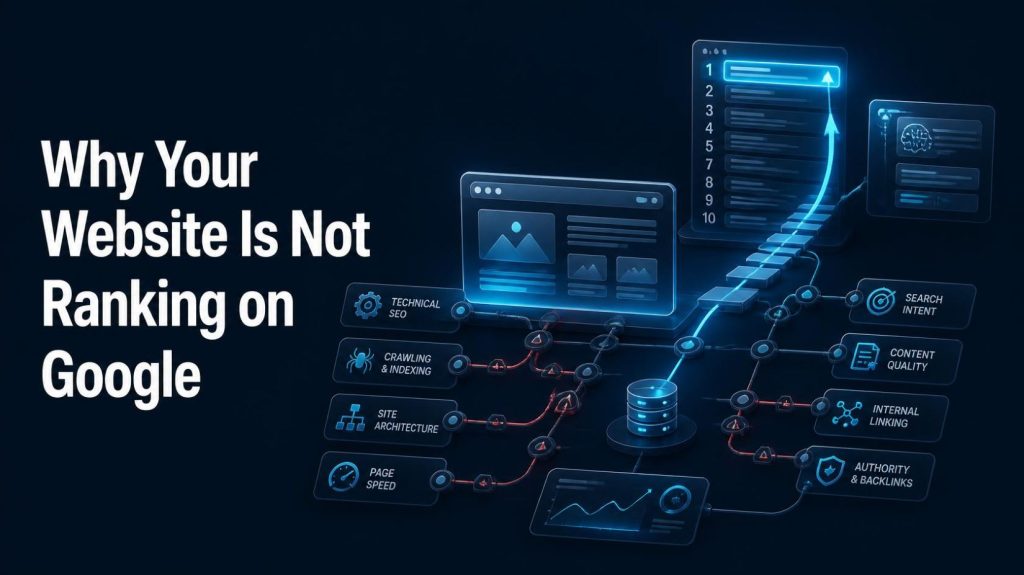
Why is my website not ranking on Google?
Usually one of five things is broken: Google has not indexed the page, the content does not match search intent, technical SEO is blocking discovery, the page is too generic to compete, or the site lacks topical authority and relevant backlinks. Diagnose indexing first, then intent, then quality, then authority — in that order.
Your website is live. Your pages are published. You picked keywords, wrote them into your titles, and waited.
And nothing happened. Google is not sending traffic.
That is one of the most frustrating experiences in digital marketing — and one of the most common. But here is the honest truth: “my website is not ranking” almost never has a single cause. It has a chain of causes, and the weakest link breaks the whole chain.
A page can fail at any of six stages: discovery, crawling, indexing, relevance, quality, or authority. Fix the wrong stage and you will spend months doing work that never had a chance to matter.
This guide is a diagnostic manual, not a list of tips. You will learn how to find out which stage is broken, in what order to check, and what to do about each problem — including how AI-powered search is changing what “ranking” even means.
First, Understand What “Not Ranking” Actually Means
Before you change anything, define the problem precisely. “Not ranking” describes at least six very different situations — and each one has a different fix.
1. The website is not indexed at all
Google has never added your page to its index. The page cannot appear in search results because, from Google’s point of view, it does not exist yet. This is an indexing problem, not a ranking problem.
2. The page is indexed but ranks very low
Your page is in the index but sits on page four, six, or ten. Google knows the page exists — it simply does not consider it the best answer for that query.
3. The page ranks for irrelevant keywords
You are getting impressions, but for queries you never intended to target. This usually signals a relevance or keyword-mapping problem.
4. The page ranks but gets almost no clicks
You appear on page one but your click-through rate is poor. That is usually a title, meta description, or SERP-feature problem, not a ranking problem.
5. The page previously ranked but lost visibility
Traffic dropped. This could be an algorithm update, a technical regression, a competitor improvement, seasonality, or a change in search demand.
6. The website ranks for branded searches only
People who already know your brand find you. Everyone else finds your competitors. That is an authority and topical relevance problem.
Why this matters: if you treat an indexing problem as a content problem, you will rewrite pages that Google has never even read. Diagnose the situation first, then act.
The 20 Most Common Reasons Your Website Is Not Ranking
Each reason below includes what it looks like, why it matters, and what to do about it.
Reason #1 — Google Has Not Indexed Your Page
There is a clear sequence every page must pass through before it can rank:
Crawled → Indexed → Eligible to appear → Ranked
Crawling means Googlebot has discovered and fetched the URL. Indexing means Google has analysed the page and stored it in its index. Ranking is the ordering of indexed pages for a query. A page cannot rank if it was never indexed — and it cannot be indexed if it was never crawled.
How to diagnose it: open Google Search Console, paste the URL into the URL Inspection tool, and read the verdict. You will see whether the URL is on Google, whether it was crawled, and whether indexing was blocked. Also check the Pages report under Indexing for site-wide patterns.
Common causes: an accidental noindex tag, a robots.txt rule blocking the URL, a canonical tag pointing to a different page, server errors, orphan pages with no internal links, duplicate URLs, or simply a brand-new site Google has not discovered yet.
How to fix it: remove the noindex tag, correct the robots.txt rule, fix incorrect canonicals, return a clean 200 status code, add internal links to the page, submit an accurate XML sitemap, and then request indexing in Search Console. Note: requesting indexing does not guarantee that Google will index or rank the page. It simply puts the URL in a queue.
Reason #2 — Your Website Has Technical SEO Problems
Technical SEO is everything that controls whether Google can access, understand, and trust your site. When it breaks, content quality becomes irrelevant.
What to check:
- Crawlability: can Googlebot reach your important pages? Check robots.txt and Search Console’s Crawl Stats.
- Indexability: are important pages accidentally blocked by meta robots tags?
- XML sitemap: does it exist, is it accurate, and does it contain only canonical, indexable URLs?
- Canonical tags: does each page point to itself as the canonical version?
- HTTP status codes: are important pages returning 200, and are broken pages returning proper 404s?
- Redirects: are there redirect chains or loops slowing everything down?
- HTTPS: is the whole site served securely with no mixed-content warnings?
- Mobile implementation: does the mobile version contain the same content and links as desktop?
- JavaScript rendering: if your content only appears after JavaScript runs, verify that Google can actually render it.
- Internal links and site architecture: can Google reach every important page in a few clicks?
How to fix it: run a crawl of your site, fix critical errors first, then warnings. Prioritise anything that blocks indexing or wastes crawl budget. Elementor and WordPress users should also check for plugin conflicts that inject noindex tags or break canonical output.
Reason #3 — Your Content Does Not Match Search Intent
Search intent is the reason behind the query. Google does not just match keywords — it matches purpose.
The main intent types are:
- Informational: “what is technical SEO”
- Navigational: “Google Search Console login”
- Commercial investigation: “best SEO agencies”
- Transactional: “buy running shoes online”
- Local: “SEO consultant near me”
Here is a simple example. Someone searching “best running shoes” wants comparison content — reviews, rankings, pros and cons. Someone searching “buy running shoes online” wants a product page with prices and a checkout. Publish a product page for the first query and it will struggle, no matter how well written it is.
How to diagnose intent: search your target keyword and study the top five results. What format are they? Listicle, guide, product page, video, comparison table? What angle do they take? How deep do they go? If your page looks nothing like the prevailing format, you have an intent mismatch. Fix the format before you fix the words.
Reason #4 — Your Content Is Not Helpful Enough
Google’s guidance is consistent: it rewards content created for people, not content created primarily to manipulate rankings. Helpful content tends to share a set of traits.
- Originality: it says something the rest of the internet is not already saying.
- Depth: it answers follow-up questions before the reader has to search again.
- Accuracy: claims are correct, current, and verifiable.
- Experience: where relevant, it reflects genuine first-hand knowledge.
- Clarity: short paragraphs, descriptive headings, plain language.
- Useful examples: real scenarios rather than abstract theory.
- Currency: outdated information is updated or removed.
Important: word count is not a quality signal. A 900-word page that fully answers a question will outperform a padded 3,000-word page that does not. Do not write longer articles for SEO. Write complete ones.
Reason #5 — Your Content Is Too Generic
Generic content is the most common reason a technically healthy page still fails to rank. It repeats what is already available everywhere, with no original insight, no examples, no data, and no point of view.
Signs your content is generic:
- Every heading could apply to any website in your industry.
- You explain what something is, but never show how it works in practice.
- There are no screenshots, no numbers, no case examples, no quotes.
- A reader could get the same answer from ten other pages in thirty seconds.
How to fix it: add something only you can add. A client example. A screenshot of your own Search Console data. A process you actually use. A counter-argument. A price range. A mistake you made and how you fixed it. Specificity is what makes content worth ranking.
Reason #6 — You Are Targeting the Wrong Keywords
Choosing keywords by search volume alone is one of the fastest ways to waste a year of content production.
Evaluate every keyword against five filters:
- Relevance: does it match what you actually offer?
- Search intent: does the query match the page type you can build?
- Competition: can you realistically compete with the sites already ranking?
- Business value: will this query bring people who might become customers?
- Difficulty: how strong are the current results?
A healthy keyword portfolio looks like this: a small number of high-value commercial terms, a solid middle layer of moderate-competition topics, and a broad base of long-tail and supporting queries. For a new or small site, the long-tail and supporting layer is where you build momentum. Do not start with the head term your biggest competitor has owned for eight years.
Reason #7 — Your Website Is Too New
A brand-new website has no content history, no authority, few external references, and no brand recognition. Meanwhile, it is competing against sites that have been publishing, earning links, and building trust for years.
This does not mean a new site cannot rank. It means timelines vary enormously depending on competition, niche, content quality, and how much genuine authority you build. Anyone promising a specific number of weeks is guessing.
A realistic new-site roadmap: publish a focused cluster of genuinely useful pages around one topic, fix technical fundamentals from day one, build a small number of real relationships that lead to genuine mentions or links, and measure impressions and query growth rather than rankings in the first few months. Impressions rising is a leading indicator that you are moving in the right direction.
Reason #8 — Your Website Lacks Topical Authority
Topical authority means Google recognises your site as a credible source on a subject — not because of one page, but because of consistent, connected coverage.
Compare two websites. Site A publishes one article about SEO. Site B publishes connected content covering technical SEO, on-page SEO, keyword research, local SEO, content SEO, internal linking, SEO audits, link building, AEO and GEO — with clear internal links between them.
Site B has built context. Google can see the relationships between pages, understand the entities involved, and recognise depth of coverage.
How to build it: choose one core topic, map the questions a buyer would ask from first awareness to purchase, and publish a pillar page plus supporting articles that link to and from it. Then expand to adjacent topics only when the core cluster is genuinely complete. There is no magic article count — coverage and quality matter more than volume.
Reason #9 — Your Internal Linking Is Weak
Internal links are the most underused SEO asset on most websites. They help users navigate and they help search engines understand which pages matter and how topics relate.
Common internal linking problems:
- Orphan pages: pages with no internal links pointing to them at all.
- Important pages with few links: your money pages sit in the footer while blog posts get all the attention.
- Vague anchor text: “click here” and “read more” instead of descriptive anchors.
- Disconnected content: related articles that never reference each other.
- Flat architecture: everything linked from one huge menu, so nothing carries weight.
Practical strategy: for every new article, add two or three contextual links from existing related pages. Keep anchor text descriptive but natural. Link from high-authority pages (your homepage, pillar content, popular posts) to the pages you most want to rank. Review your internal links quarterly.
Reason #10 — Your Website Has Little or No Relevant Authority
Links from other websites remain one of the strongest signals Google uses to assess trust and authority. But relevance and quality matter far more than quantity.
Legitimate ways to earn authority:
- Genuine editorial links from relevant publications and industry sites
- Original research, surveys, or data that others want to cite
- Digital PR and expert commentary
- Unlinked brand mentions that can be converted into links
- Partnerships, collaborations, and community involvement
- Free tools, templates, or resources worth referencing
Do not buy spammy links, use link farms, run automated link schemes, manipulate private blog networks, or mass-produce low-quality guest posts. These tactics violate Google’s spam policies and put your entire site at risk. One relevant link from a respected site in your industry is worth more than hundreds of directory listings.
Reason #11 — Your Competitors Are Simply Stronger
Sometimes your page is fine — your competitors are just better positioned. That is not a failure; it is information.
How to run a basic SERP competitor analysis:
- Search your target keyword in an incognito window.
- List the top five results. Note whether they are brands, directories, or independent sites.
- For each, assess content depth, format, freshness, and how directly they answer the query.
- Check whether they cover subtopics you missed.
- Look at page-level signals: internal links, references, author expertise, supporting media.
- Ask honestly: if you were Google, which result would you show first?
Then decide. You can out-depth them, out-experience them, out-format them, or target a narrower variation of the query where you can genuinely win. What you should not do is publish a slightly reworded version of what already ranks.
Reason #12 — Your Pages Compete With Each Other
Keyword cannibalisation happens when multiple pages on your site target the same intent, so they split internal links, external links, and relevance signals instead of concentrating them.
Warning signs: two pages alternate positions for the same query, or you are unsure which page you would want to rank.
Possible solutions:
- Consolidate: merge the weaker page into the stronger one and redirect.
- Differentiate: rewrite one page to target a genuinely different intent or audience.
- Canonicalise: where content is truly duplicate, point to the preferred version.
- Improve architecture: make it clear which page is the primary one and link accordingly.
Important nuance: not every situation where two pages rank for overlapping terms is cannibalisation. Sometimes a site legitimately ranks two URLs for related queries, and that is fine. Only act when there is real evidence of internal competition.
Reason #13 — Your Website Has Thin or Low-Value Pages
Thin content is content that provides little or no unique value. It is not only about length — a short page can be excellent, and a long page can be thin.
Common examples:
- Pages with a few sentences of generic text
- Automatically generated pages with no unique information
- Duplicate location pages with only the city name changed
- Empty or near-empty category pages
- Low-value tag and archive pages
- Doorway-style pages built only to funnel users elsewhere
- Programmatic pages without genuine per-page value
What to do: improve the page with real information where there is search demand, consolidate it into a stronger page where there is not, remove it if it serves no purpose, redirect where an equivalent exists, or apply noindex if the page must exist for users but should not appear in search. Do not delete pages indiscriminately — a page with no traffic may still be a valuable conversion or support asset.
Reason #14 — Your Website Has Duplicate Content Problems
Duplicate content is common and usually accidental. It splits signals and can cause Google to choose a different URL than the one you intended to rank.
Typical causes:
- Both HTTP and HTTPS versions accessible
- Both www and non-www versions accessible
- URL parameters creating multiple versions of one page
- Product variations generating near-identical URLs
- Location pages with identical copy
- Content syndicated to other sites without attribution or canonical
How to fix it: choose one canonical domain and redirect the other, use self-referencing canonical tags, clean up URL parameters, consolidate genuinely duplicate pages, and set canonical tags on syndicated content. Important: duplicate content does not automatically trigger a Google penalty. It is primarily a signal-clarity problem, not a punishment.
Reason #15 — Your Website Is Poor on Mobile or Performance
Most searches happen on mobile devices, and Google evaluates the mobile version of your site. If mobile users get a worse experience, you are at a disadvantage.
Core Web Vitals measure three things:
- LCP (Largest Contentful Paint): how quickly the main content loads
- INP (Interaction to Next Paint): how responsive the page feels when users interact with it
- CLS (Cumulative Layout Shift): how much the layout jumps around while loading
Practical improvements: compress and correctly size images, lazy-load below-the-fold media, reduce unnecessary scripts and plugins, use caching, self-host fonts, avoid layout-shifting ads and banners, and test on real mid-range mobile devices rather than only on desktop.
Important: perfect Core Web Vitals scores do not guarantee rankings. They remove friction — they do not replace relevance, quality, or authority.
Reason #16 — Your Website Has Poor Internal Architecture
Site architecture determines how easily users and search engines move through your content. Deep, tangled structures bury important pages.
A bad structure looks like this:
Homepage → Page A → Page B → Page C → Page D
If a page is four clicks from the homepage, it receives little internal link equity and is crawled less often.
A better structure looks like this:
Homepage → Category → Topic or Service → Supporting Content
Important pages should be reachable within two to three clicks. Use clear navigation, logical categories and subcategories, breadcrumbs, and contextual internal links. Design the structure for users first — but make sure it also gives search engines an obvious path to everything that matters.
Reason #17 — Your Website Has Security or Accessibility Issues
Security and accessibility problems often overlap with search visibility problems, even when they are not direct ranking factors.
What to check:
- HTTPS: the entire site should be served securely with no mixed-content warnings.
- Server errors: 5xx errors and unstable hosting can prevent crawling entirely.
- Broken pages: internal links pointing to 404s waste crawl budget and frustrate users.
- Blocked resources: CSS or JavaScript files blocked in robots.txt can prevent Google from rendering pages correctly.
- Accessibility: poor contrast, missing alt text, keyboard traps, and unlabelled forms make content harder to use.
Accessibility is not officially a direct Google ranking factor. But accessible sites tend to be more usable, better structured, and easier for search engines to interpret — and they serve more people.
Reason #18 — Your Website May Have Search Spam or Manual Action Issues
Google enforces spam policies, and violations can suppress or remove pages from search results.
Risky practices include:
- Cloaking — showing different content to search engines than to users
- Hidden text or hidden links
- Doorway abuse — pages built purely to funnel users to another destination
- Scaled content abuse — mass-producing low-value pages
- Link spam — buying links, exchanging links at scale, or participating in link schemes
- Other manipulative techniques covered by Google’s spam policies
Where to investigate: Google Search Console has dedicated sections for Manual Actions and Security Issues. If a manual action is listed, you will see the reason and can request a review after fixing the problem. If nothing is listed, a manual action is unlikely to be your issue.
Reason #19 — Your Website Lost Rankings After an Update
A sudden drop is stressful, but it is not automatically an algorithm update — and not every update affects every site.
A calm diagnostic process:
- Check Search Console for manual actions, security issues, and crawl errors.
- Look at traffic trends over 16 months, not 16 days, to separate seasonality from decline.
- Identify which pages lost traffic and which queries were affected.
- Compare those pages against current top-ranking results. Has intent shifted?
- Review content quality against what now ranks.
- Check for technical changes: migrations, redesigns, plugin updates, lost redirects.
- Review competitor movements. Sometimes you did not fall — they rose.
- Read Google’s own documentation on ranking systems rather than reacting to speculation.
- Check whether search demand itself changed. Some queries simply lose volume.
- Avoid making random changes across the whole site at once — you will not know what worked.
Reason #20 — You Are Measuring the Wrong Thing
SEO success is not “am I number one?” It is whether the right people find you and take action.
Metrics worth tracking:
- Impressions: are you visible for relevant queries?
- Clicks: are people choosing you?
- CTR: is your title and description compelling?
- Rankings: useful context, but volatile and location-dependent.
- Organic traffic: the volume of non-paid visitors.
- Branded vs non-branded searches: a strong indicator of growing authority.
- Leads, sales, conversions, revenue: the only metrics that ultimately matter.
- SERP features: featured snippets, AI overviews, and other visibility beyond blue links.
Define what success looks like for your business before you define your SEO KPIs.
Is AI-Generated Content the Reason My Website Isn’t Ranking?
Possibly — but not for the reason most people assume.
There is no rule that says AI-generated content cannot rank, and there is no automatic penalty for using AI tools. Google’s position is consistent: what matters is whether content is genuinely helpful, original, accurate, and created primarily for people rather than to manipulate rankings.
The real problem is usually not the tool. It is the output.
Content fails when it is:
- Factually unverified
- Repetitive and surface-level
- Missing genuine expertise or first-hand experience
- Published at scale without human review or editorial standards
- Indistinguishable from hundreds of other pages on the same topic
How to use AI responsibly in content production: use it for research, outlining, drafting, editing, and summarising. Then add what it cannot: your experience, your data, your examples, your judgement. Fact-check everything. Have a human editor review before publishing. Keep a clear standard for what deserves to go live.
If your AI-assisted content is genuinely better, more specific, and more useful than what already ranks, it has a fair chance. If it simply restates what everyone else has already said, it does not — regardless of how it was produced.
How AI Search, AEO and GEO Are Changing SEO
Search is no longer only ten blue links. AI-powered experiences generate direct answers, summaries, and citations — and that changes how visibility works.
SEO is about ranking in traditional search results.
AEO (Answer Engine Optimization) is about structuring content so it directly and clearly answers a question, making it easier for search engines and answer engines to surface it.
GEO (Generative Engine Optimization) is about improving the clarity, usefulness, credibility, and discoverability of information within AI-mediated search experiences.
What actually helps across all three:
- Clear, direct answers near the top of a section
- Strong entity clarity — who, what, where, and how things relate
- Structured information: headings, lists, tables, definitions
- Original research and first-hand expertise that AI systems cannot invent
- Consistent brand signals and genuine authority
- Accurate, current facts
What no one can promise: inclusion in AI-generated answers. There is no guaranteed formula, and any agency claiming otherwise is guessing. What you can do is make your information clearer, more useful, and more trustworthy than the alternatives.
Technical SEO, useful content, authority, and clear information architecture remain the foundation. AEO and GEO are extensions of that foundation, not replacements for it.
How to Diagnose Why Your Website Is Not Ranking
Work through these twelve steps in order. Stop when you find a genuine blocker — fixing an indexing problem before rewriting content will save you months.
| Step | What to check | Tool | If there is a problem |
|---|---|---|---|
| 1. Indexing | Is the URL indexed and indexable? | Search Console URL Inspection | Remove noindex, fix robots.txt, correct canonicals, request indexing |
| 2. Technical SEO | Status codes, redirects, sitemaps, rendering | Crawler + Search Console | Fix crawl-blocking errors first, warnings second |
| 3. Search intent | Does your page format match the SERP? | Manual SERP review | Change format or rebuild the page around the dominant intent |
| 4. Content | Originality, depth, accuracy, examples | Manual review | Add experience, data, examples, and genuine specificity |
| 5. Keywords | Relevance, competition, business value | Keyword research tools | Rebalance toward long-tail and realistic targets |
| 6. Internal links | Orphan pages, weak anchors, link depth | Crawler + Search Console Links | Add contextual internal links from relevant pages |
| 7. Competitors | Depth, freshness, format, authority | Manual SERP analysis | Find a realistic angle where you can genuinely be better |
| 8. Authority | Relevant links, mentions, brand signals | Backlink tools | Build genuine editorial relationships and citable assets |
| 9. Performance | Mobile experience and Core Web Vitals | Search Console CWV report | Optimise images, scripts, and layout stability |
| 10. Search Console data | Queries, impressions, CTR, position | Performance report | Find near-miss queries and improve those pages first |
| 11. Manual actions | Spam or security problems | Search Console | Fix the underlying issue, then request a review |
| 12. Action plan | Prioritise by impact and effort | Your own project board | Fix blockers first, then relevance, then growth |
Google Search Console Checklist
Search Console is the closest thing to an official source of truth about how Google sees your site. Use these sections systematically.
- Performance: queries, pages, countries, devices, and search appearance. Look for pages ranking in positions 5–20 — those are your fastest opportunities.
- Queries: what people actually typed. Check whether the queries you appear for match the intent you intended.
- Pages: which URLs earn impressions and clicks, and which earn impressions with no clicks.
- Indexing (Pages report): which URLs are indexed, excluded, or errored — and why.
- URL Inspection: per-URL diagnosis of crawl, index, canonical, and rendering status.
- Sitemaps: whether your sitemap was read successfully and how many URLs were discovered.
- Core Web Vitals: which URL groups are passing or failing on mobile and desktop.
- Manual Actions: any human-applied penalty. Check this before assuming an algorithm update.
- Security Issues: malware or hacking warnings that can suppress your site.
- Links: your top linked pages, top linking sites, and anchor text distribution.
Review these monthly. A five-minute check is often enough to catch problems before they become traffic losses.
30-Point “Why Am I Not Ranking?” SEO Checklist
Indexing
- ☐ The page is indexable
- ☐ No accidental noindex tag
- ☐ Canonical tag points to the correct URL
- ☐ The page can be discovered through internal links or the sitemap
Technical SEO
- ☐ HTTPS is enabled site-wide with no mixed content
- ☐ An accurate XML sitemap is submitted
- ☐ Robots.txt is not blocking important pages or resources
- ☐ Important pages return 200 status codes
- ☐ Redirects are single-hop with no chains or loops
- ☐ JavaScript-rendered content is visible to Google
Content
- ☐ The content matches the dominant search intent
- ☐ It contains original information or insight
- ☐ It genuinely answers the query completely
- ☐ Information is current and accurate
- ☐ Headings are clear and descriptive
- ☐ It includes real examples or evidence
Keywords
- ☐ The primary keyword is relevant to your business
- ☐ The keyword matches the page type
- ☐ Competition is realistic for your site’s strength
- ☐ Long-tail and supporting queries are targeted
Authority
- ☐ The page has relevant internal links pointing to it
- ☐ The site earns relevant external links or mentions
- ☐ The topic cluster around this subject is reasonably complete
Architecture
- ☐ No orphan pages
- ☐ Navigation is logical and shallow
- ☐ Related pages link to each other contextually
User experience
- ☐ The page works well on mobile
- ☐ Core Web Vitals are reasonable
- ☐ The content is readable and well formatted
Monitoring
- ☐ Search Console is verified and reviewed monthly
- ☐ Analytics is tracking organic traffic and conversions
- ☐ Rankings are monitored for priority queries
Common SEO Mistakes That Keep Websites From Ranking
- Targeting keywords without understanding intent. Fix: review the SERP before you write.
- Publishing generic content. Fix: add experience, examples, and a point of view.
- Ignoring indexing. Fix: check URL Inspection before promoting a page.
- Blocking important pages. Fix: audit robots.txt and meta robots tags.
- Keyword stuffing. Fix: write for meaning, not repetition.
- Buying low-quality backlinks. Fix: earn relevant editorial links instead.
- Creating duplicate pages. Fix: consolidate and redirect.
- Ignoring internal linking. Fix: add contextual links from related pages.
- Publishing only informational content. Fix: balance with commercial and transactional pages.
- Neglecting commercial pages. Fix: optimise service and product pages properly.
- Never updating content. Fix: schedule a quarterly content review.
- Chasing every SEO tool warning. Fix: prioritise issues that actually block crawling, indexing, or relevance.
- Expecting instant results. Fix: measure leading indicators like impressions first.
- Making too many changes at once. Fix: change one variable, measure, then continue.
How Long Does It Take for a Website to Rank on Google?
Anyone who gives you a fixed number is guessing. Realistic timelines depend on competition, website history, content quality, authority, technical condition, search intent, industry, query difficulty, website type, and search demand.
What matters more than a deadline is what you monitor in the meantime:
- Are impressions increasing for relevant queries?
- Are new queries appearing in Search Console?
- Is average position improving on your priority pages?
- Are branded searches growing?
- Are technical errors decreasing?
If impressions and query coverage are growing month over month, you are moving in the right direction — even before rankings look impressive.
When Should You Hire an SEO Professional?
Professional help is usually worth the investment when:
- You are planning a website migration or redesign
- You have experienced a major, unexplained traffic loss
- You run a large e-commerce or marketplace site
- Your website is JavaScript-heavy or technically complex
- You operate an international or multi-language site
- You have received a manual action
- You have complex indexing or canonicalisation problems
- You compete in a highly competitive industry
- You have no internal SEO expertise or capacity
Many small businesses can handle the basics internally: publish genuinely useful content consistently, keep the site technically clean, build a few real relationships, and review Search Console monthly. If you are doing that and still stuck, a professional SEO audit is usually the right next step.
SEO vs AEO vs GEO: What's the Difference?
| Area | SEO | AEO | GEO |
|---|---|---|---|
| Main goal | Rank in traditional search results | Be the direct answer | Be cited and understood by AI systems |
| Primary environment | Google and other search engines | SERPs, featured snippets, voice search | AI-generated answers and assistants |
| Main focus | Rankings, relevance, authority | Clarity and direct answers | Entity clarity and citability |
| Content approach | Comprehensive, keyword-mapped pages | Question-led structure, concise answers | Structured, factual, well-sourced information |
| Success signals | Rankings, organic traffic, conversions | Snippet presence, zero-click visibility | AI mentions, citations, brand references |
These three approaches overlap heavily and should not be treated as separate marketing channels. Strong technical SEO, useful content, genuine authority, and clear information architecture support all three at once.
Frequently Asked Questions
Usually one of five things: Google has not indexed the page, the content does not match search intent, technical SEO is blocking discovery, the page is too generic to compete, or the site lacks topical authority and relevant backlinks. Diagnose indexing first, then intent, then quality, then authority.
New sites have no content history, authority, or brand recognition. They also compete with established sites. Focus on one topic cluster, keep the technical foundation clean, earn a few genuine mentions, and track impressions and query growth rather than rankings in the first few months.
Use the URL Inspection tool in Google Search Console. It shows whether a URL is on Google and whether it can be indexed. The Pages report under Indexing gives a site-wide view of indexed and excluded URLs.
Indexing means Google stored the page. Ranking means Google considers it the best answer. If it is indexed but not ranking, the problem is usually relevance, content quality, search intent mismatch, weak internal linking, or stronger competition.
There is no fixed timeline. It depends on competition, site history, content quality, authority, technical condition, and query difficulty. Monitor impressions, query coverage, and average position — these move before rankings do.
Yes. Blocked pages, noindex tags, broken canonicals, thin content, spammy links, and site architecture problems can all prevent pages from ranking — or remove them from search results entirely.
Page experience is one part of how Google evaluates pages, but it is not the deciding factor. Speed and Core Web Vitals matter most when they create real friction for users. Excellent speed will not compensate for weak content or low authority.
Duplicate content does not automatically cause a penalty. Its main effect is signal dilution — Google may choose a different URL than the one you want to rank. Fix it with canonical tags, redirects, and consolidation.
Yes. Relevant, editorial links from trustworthy sites remain a strong signal of authority. Quality and relevance matter far more than quantity. Avoid buying links or participating in link schemes, which violate Google’s spam policies.
Common reasons include stronger topical coverage, more relevant backlinks, better intent matching, clearer structure, greater brand recognition, and a longer history of publishing on the topic. Study the top results and identify where you can genuinely be better.
Possible causes include a technical regression, a lost redirect, a manual action, a competitor improvement, seasonality, changes in search demand, or a ranking system update. Check Search Console first and avoid making broad changes before you know the cause.
Not automatically. What matters is whether the content is genuinely helpful, original, accurate, and created primarily for people. Unverified, repetitive, scaled content with no added value is unlikely to perform well, regardless of how it was produced.
Search Console shows how Google crawls, indexes, and serves your site. It reveals indexing issues, top queries, click-through rates, Core Web Vitals, sitemap status, manual actions, and security problems — all in one place, for free.
Work in order: confirm the page is indexed, fix technical blockers, check search intent against the SERP, improve content depth and originality, add internal links, and review competitor strength. Fix the biggest blocker first rather than everything at once.
Consider it for migrations, major traffic losses, large e-commerce sites, JavaScript-heavy builds, manual actions, complex indexing problems, or highly competitive industries. For simpler sites, a thorough SEO audit plus internal execution is often enough.
The Bottom Line
Your website is almost certainly not failing to rank because of one magical SEO mistake. It is failing somewhere along a chain: technical accessibility, indexing, relevance, content quality, search intent, authority, competition, and user experience. Break one link and the whole chain stops working.
That is why random SEO activity — adding keywords, buying links, publishing more posts — so often produces nothing. You are treating symptoms without knowing which link is broken.
Diagnose first. Check indexing. Check technical health. Check intent. Check content. Check internal links. Check competitors. Then fix the biggest blocker, measure, and move to the next one.
Your practical takeaway: open Google Search Console today and inspect your five most important pages. You will usually find the answer in under thirty minutes — and it is rarely the answer you expected.
Still Not Sure Why Your Website Isn't Ranking?
A technical SEO audit will tell you exactly which link in the chain is broken — indexing, crawlability, intent, content, internal linking, or authority — and what to fix first.